Use OS-level controls to move and click the mouse, type and press keys, scroll, drag, and capture screenshots from a running browser session. Both moveMouse and dragMouse use human-like Bézier curves by default.

Click the mouse

Simulate mouse clicks at specific coordinates. You can select the button, click type (down, up, click), number of clicks, and optional modifier keys to hold.
import Kernel from '@onkernel/sdk';

const kernel = new Kernel();
const kernelBrowser = await kernel.browsers.create();

// Basic left click at (100, 200)
await kernel.browsers.computer.clickMouse(kernelBrowser.session_id, {
  x: 100,
  y: 200,
});

// Double right-click while holding Shift
await kernel.browsers.computer.clickMouse(kernelBrowser.session_id, {
  x: 100,
  y: 200,
  button: 'right',
  click_type: 'click',
  num_clicks: 2,
  hold_keys: ['Shift'],
});

Move the mouse

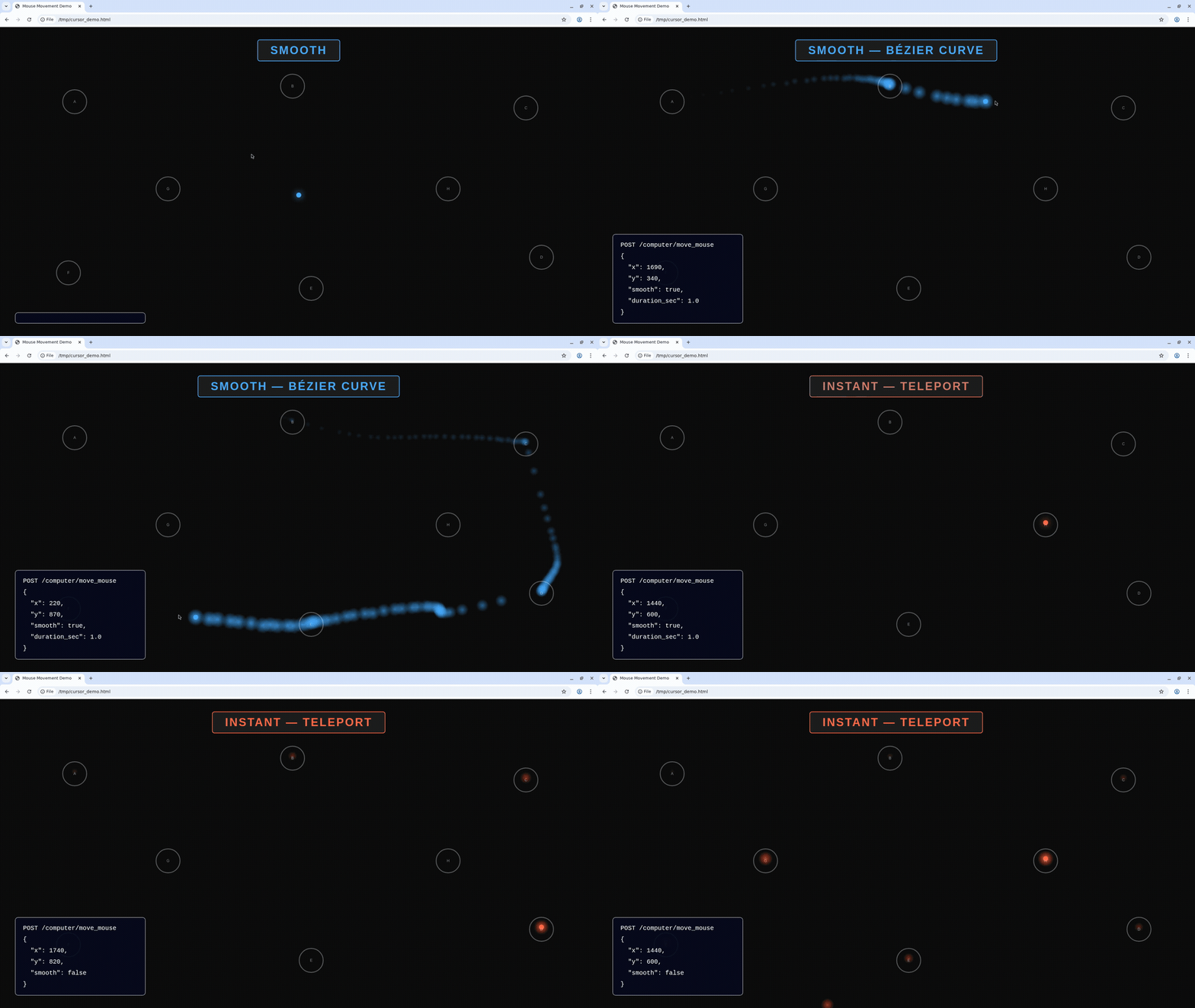
Move the cursor to specific screen coordinates. By default, the cursor follows a human-like Bezier curve path instead of teleporting instantly. You can control this with smooth and duration_ms.
ParameterTypeDefaultDescription
xintegerX coordinate to move the cursor to
yintegerY coordinate to move the cursor to
smoothbooleantrueUse human-like Bezier curve path instead of instant teleport
duration_msintegerautoTarget duration in milliseconds for smooth movement (50–5000). Omit for automatic timing based on distance
hold_keysarrayModifier keys to hold during the move
import Kernel from '@onkernel/sdk';

const kernel = new Kernel();
const kernelBrowser = await kernel.browsers.create();

// Human-like smooth movement (default)
await kernel.browsers.computer.moveMouse(kernelBrowser.session_id, {
  x: 500,
  y: 300,
});

// Smooth movement with custom duration
await kernel.browsers.computer.moveMouse(kernelBrowser.session_id, {
  x: 800,
  y: 600,
  smooth: true,
  duration_ms: 1500,
});

// Instant teleport (disable smooth)
await kernel.browsers.computer.moveMouse(kernelBrowser.session_id, {
  x: 100,
  y: 200,
  smooth: false,
});

Smooth vs instant movement

Try it yourself — open live view and paste this (requires CLI v0.15.4+ — run kernel upgrade to update):
ID=$(kernel browsers create -o json | jq -r '.session_id')
echo "Open live view: https://dashboard.onkernel.com/browsers/$ID"
HTML=$(curl -sL "https://gist.githubusercontent.com/ulziibay-kernel/f6d8063ba223a81293cfe1fde06d8624/raw/cursor-trail-demo.html")
kernel browsers playwright execute $ID "await page.setContent($(echo "$HTML" | jq -Rs .))"
sleep 3

kernel browsers playwright execute $ID "await page.evaluate(() => document.dispatchEvent(new CustomEvent('kernel-mode', {detail:'instant'})))"
for coords in "200 200" "900 150" "1700 250" "1700 700" "960 800" "200 750"; do
  kernel browsers computer move-mouse $ID --x ${coords% *} --y ${coords#* } --smooth=false
  sleep 0.5
done

kernel browsers playwright execute $ID "await page.evaluate(() => document.dispatchEvent(new CustomEvent('kernel-mode', {detail:'smooth'})))"
for coords in "200 200" "900 150" "1700 250" "1700 700" "960 800" "200 750"; do
  kernel browsers computer move-mouse $ID --x ${coords% *} --y ${coords#* } --duration-ms 1200
  sleep 0.3
done

Take screenshots

Capture a full-screen PNG or a specific region.
import fs from 'fs';
import { Buffer } from 'buffer';
import Kernel from '@onkernel/sdk';

const kernel = new Kernel();
const kernelBrowser = await kernel.browsers.create();

// Full screenshot
{
  const response = await kernel.browsers.computer.captureScreenshot(kernelBrowser.session_id);
  const blob = await response.blob();
  const buffer = Buffer.from(await blob.arrayBuffer());
  fs.writeFileSync('screenshot.png', buffer);
}

// Region screenshot
{
  const response = await kernel.browsers.computer.captureScreenshot(kernelBrowser.session_id, {
    region: { x: 0, y: 0, width: 800, height: 600 },
  });
  const blob = await response.blob();
  const buffer = Buffer.from(await blob.arrayBuffer());
  fs.writeFileSync('region.png', buffer);
}

Type text

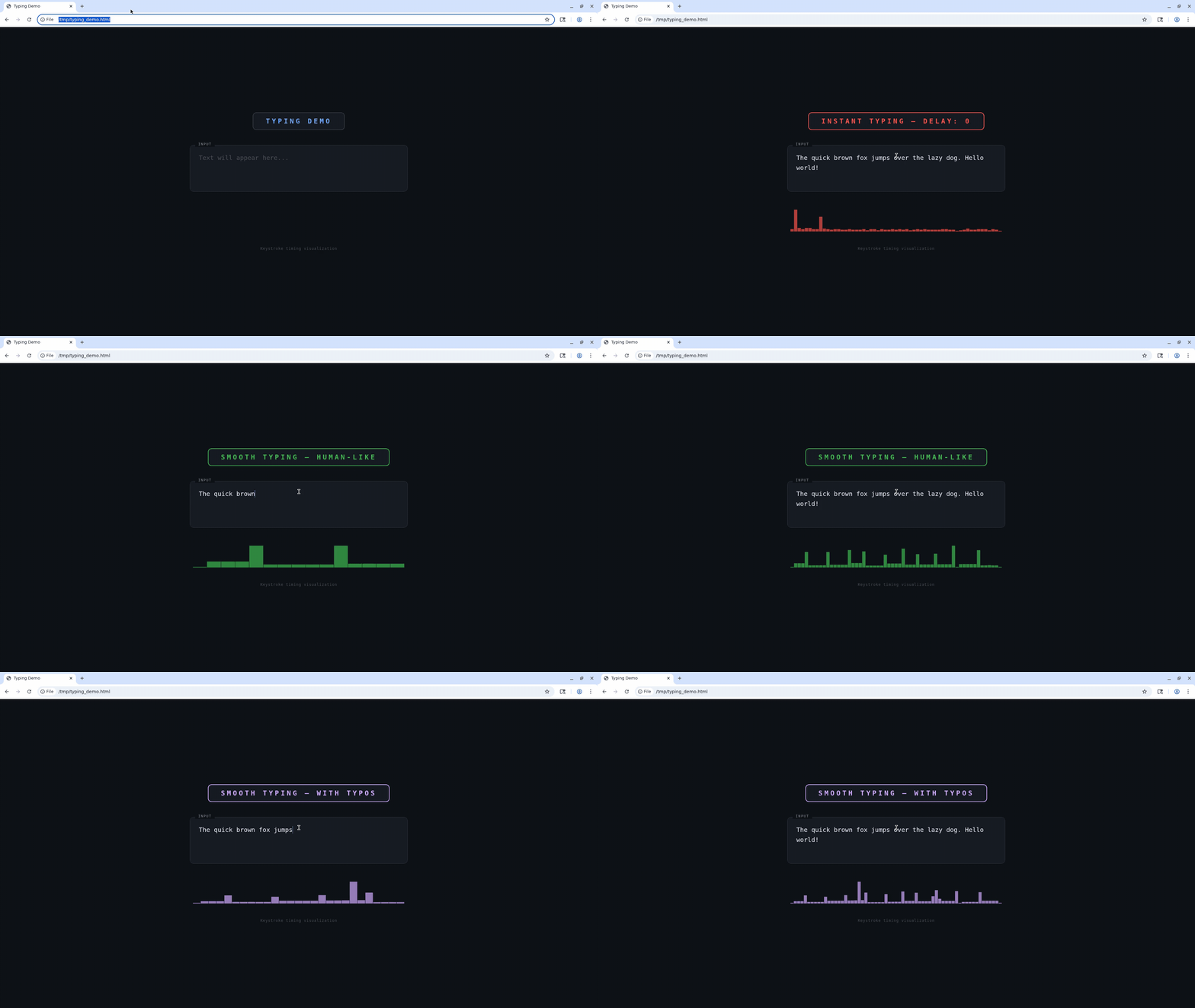
Type literal text with optional human-like timing. When smooth is enabled, text is typed in word-sized chunks with variable inter-key delays and natural pauses at word and sentence boundaries. You can also inject realistic typos that are automatically corrected with backspace.
ParameterTypeDefaultDescription
textstringText to type
delayinteger0Fixed delay in milliseconds between keystrokes. Ignored when smooth is true
smoothbooleanfalseUse human-like variable keystroke timing with word-boundary pauses
typo_chancenumber0Probability (0.0–0.10) of a typo per character, corrected with backspace. Requires smooth: true (silently ignored otherwise). Typical human range is 0.02–0.05
import Kernel from '@onkernel/sdk';

const kernel = new Kernel();
const kernelBrowser = await kernel.browsers.create();

// Instant typing (default)
await kernel.browsers.computer.typeText(kernelBrowser.session_id, {
  text: 'Hello, World!',
});

// Fixed delay between keystrokes
await kernel.browsers.computer.typeText(kernelBrowser.session_id, {
  text: 'Slow typing...',
  delay: 100,
});

// Human-like smooth typing
await kernel.browsers.computer.typeText(kernelBrowser.session_id, {
  text: 'The quick brown fox jumps over the lazy dog.',
  smooth: true,
});

// Human-like with occasional typos (3% chance per character)
await kernel.browsers.computer.typeText(kernelBrowser.session_id, {
  text: 'The quick brown fox jumps over the lazy dog.',
  smooth: true,
  typo_chance: 0.03,
});

Smooth vs instant typing

Press keys

Press one or more key symbols (including combinations like “Ctrl+t” or “Ctrl+Shift+Tab”). Optionally hold modifiers and/or set a duration to hold keys down.
import Kernel from '@onkernel/sdk';

const kernel = new Kernel();
const kernelBrowser = await kernel.browsers.create();

// Tap a key combination
await kernel.browsers.computer.pressKey(kernelBrowser.session_id, {
  keys: ['Ctrl+t'],
});

// Hold keys for 250ms while also holding Alt
await kernel.browsers.computer.pressKey(kernelBrowser.session_id, {
  keys: ['Ctrl+Shift+Tab'],
  duration: 250,
  hold_keys: ['Alt'],
});

Scroll

Scroll the mouse wheel at a specific position. Positive delta_y scrolls down; negative scrolls up. Positive delta_x scrolls right; negative scrolls left.
import Kernel from '@onkernel/sdk';

const kernel = new Kernel();
const kernelBrowser = await kernel.browsers.create();

await kernel.browsers.computer.scroll(kernelBrowser.session_id, {
  x: 300,
  y: 400,
  delta_x: 0,
  delta_y: 120,
});

Drag the mouse

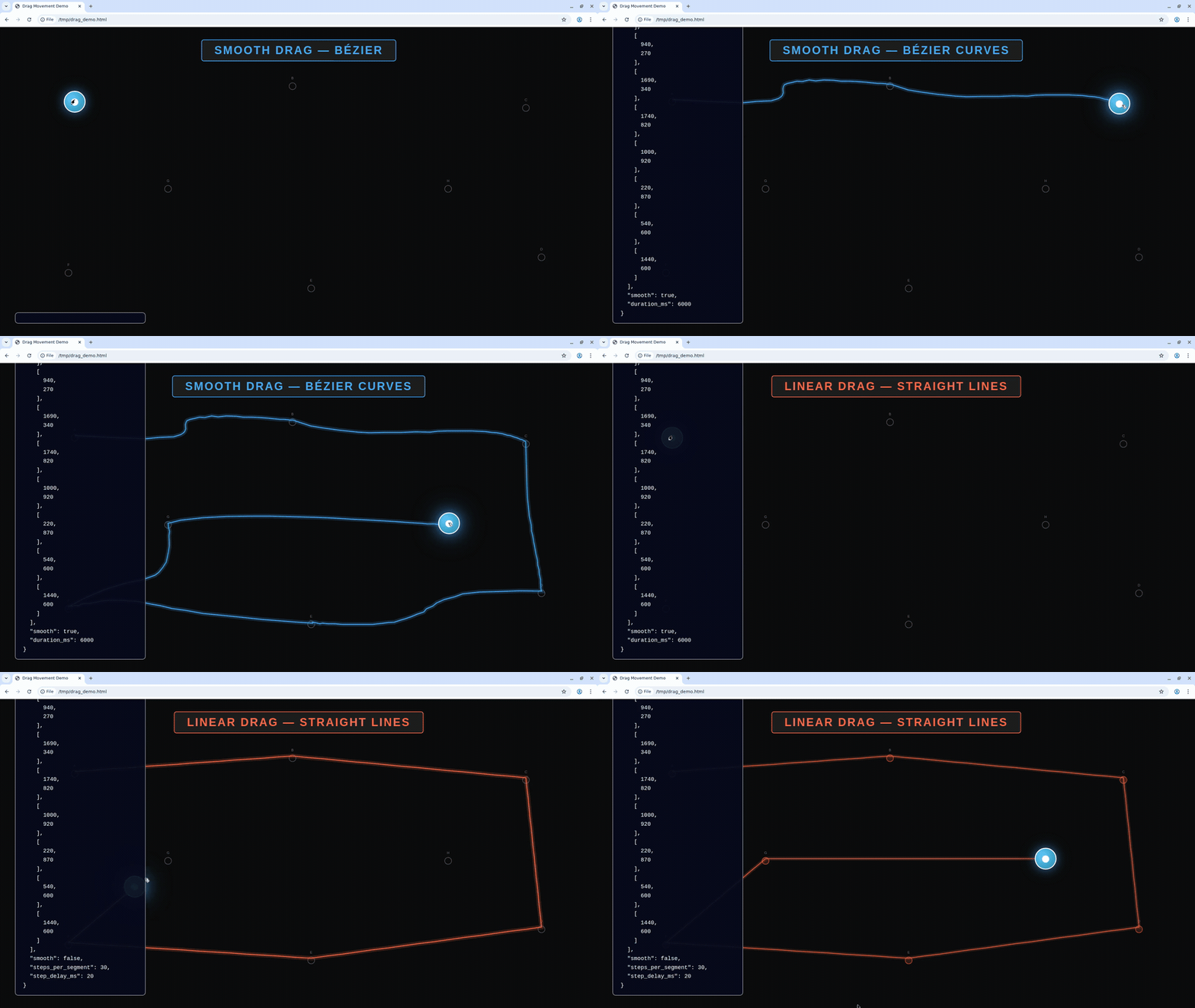
Drag by pressing a button, moving along a path of points, then releasing. By default, drag movement uses human-like Bezier curves between waypoints. Set smooth: false to use linear interpolation with steps_per_segment and step_delay_ms instead.
ParameterTypeDefaultDescription
patharrayOrdered list of [x, y] coordinate pairs to move through (minimum 2 points)
buttonstringleftMouse button: left, middle, or right
smoothbooleantrueUse human-like Bezier curves between waypoints. When true, steps_per_segment and step_delay_ms are ignored
duration_msintegerautoTarget duration in milliseconds for the entire drag when smooth=true (50–10000). Omit for automatic timing based on total path length
delayinteger0Delay in milliseconds between button down and starting to move
steps_per_segmentinteger10Number of interpolation steps per path segment (only when smooth=false)
step_delay_msinteger50Delay in milliseconds between steps (only when smooth=false)
hold_keysarrayModifier keys to hold during the drag
import Kernel from '@onkernel/sdk';

const kernel = new Kernel();
const kernelBrowser = await kernel.browsers.create();

// Human-like smooth drag (default)
await kernel.browsers.computer.dragMouse(kernelBrowser.session_id, {
  path: [
    [100, 200],
    [400, 350],
    [700, 200],
  ],
});

// Smooth drag with custom duration
await kernel.browsers.computer.dragMouse(kernelBrowser.session_id, {
  path: [
    [100, 200],
    [400, 350],
    [700, 200],
  ],
  smooth: true,
  duration_ms: 2000,
});

// Linear interpolation drag (legacy behavior)
await kernel.browsers.computer.dragMouse(kernelBrowser.session_id, {
  path: [
    [100, 200],
    [400, 350],
    [700, 200],
  ],
  smooth: false,
  steps_per_segment: 10,
  step_delay_ms: 50,
});

Smooth vs linear drag